
Will Booth
Senior Product Manager
A complete guide to automatic memory consolidation in Claude Code — what it does, how it works, and how to turn it on.
Anthropic quietly rolled out a new feature for Claude Code called AutoDream. It is an experimental, background cleanup and organisation system for your Claude memories, designed so that each new session feels sharp instead of fuzzy or cluttered.
At its core, AutoDream periodically runs a background Claude sub-agent that reviews your accumulated memory files, merges related notes, prunes stale information, and keeps a clean index. The result is that over time, your memory files become leaner, more accurate, and more useful.
Before understanding AutoDream, it helps to understand the existing auto-memory system. Claude Code already has auto-memory, which allows it to remember things about your project across sessions using a MEMORY.md file and related files.
Think of auto-memory as Claude's notebook: it writes things down as you work so it can refer back to them next time.
The limitation is that the notebook gets messy over time. Notes accumulate, old information is never removed, and the file can become bloated and hard to parse. That is exactly the problem AutoDream solves.
Auto-memory records things. AutoDream cleans them up. Rather than simply flooding a file with information, AutoDream runs three core operations on your memory files:
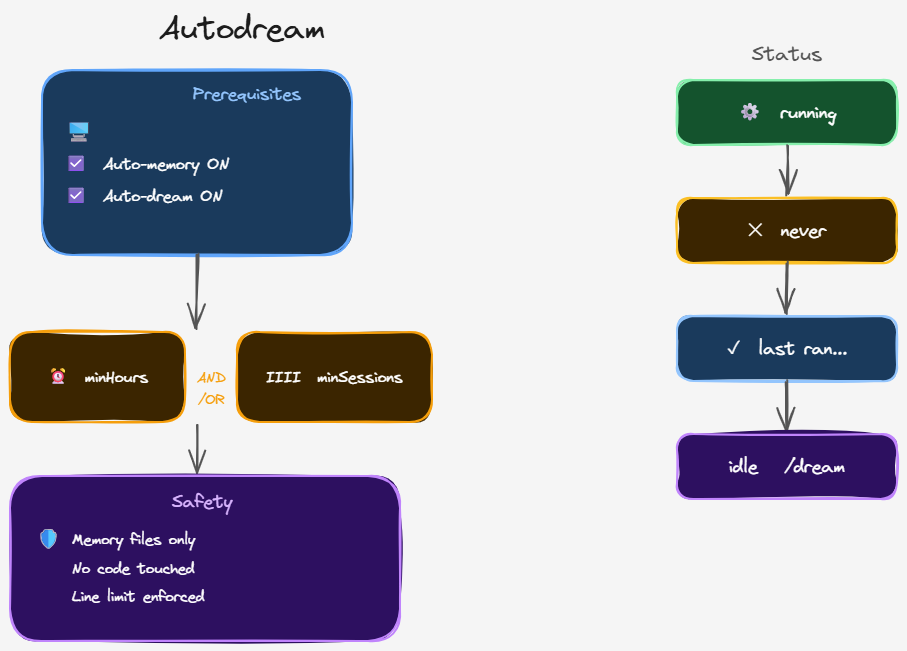
AutoDream is turned on globally, meaning once enabled it applies to all your projects, though each project maintains its own separate dream files. Here is how to enable it:
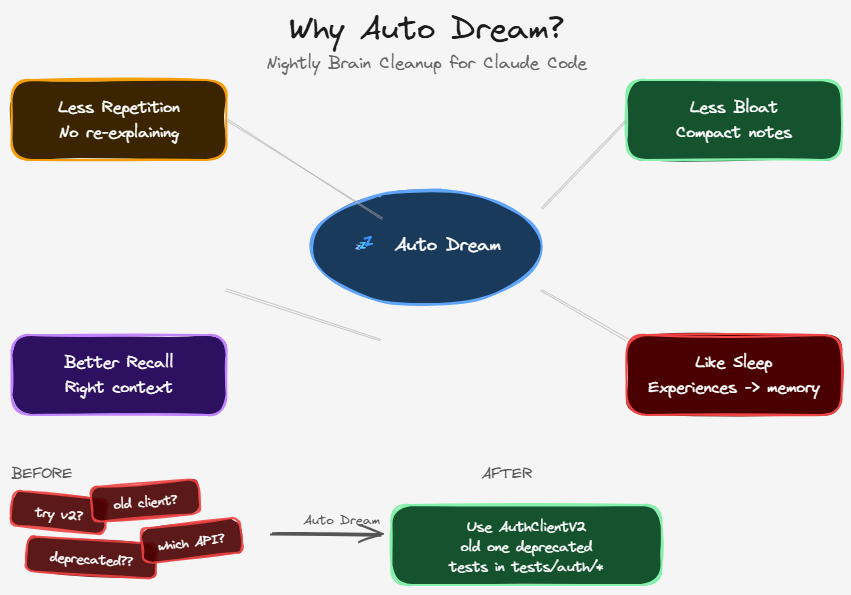
Even with auto-memory in place, many users notice friction over time: re-explaining context, carrying over notes manually, or sessions that feel strangely forgetful. AutoDream addresses this with four key benefits:
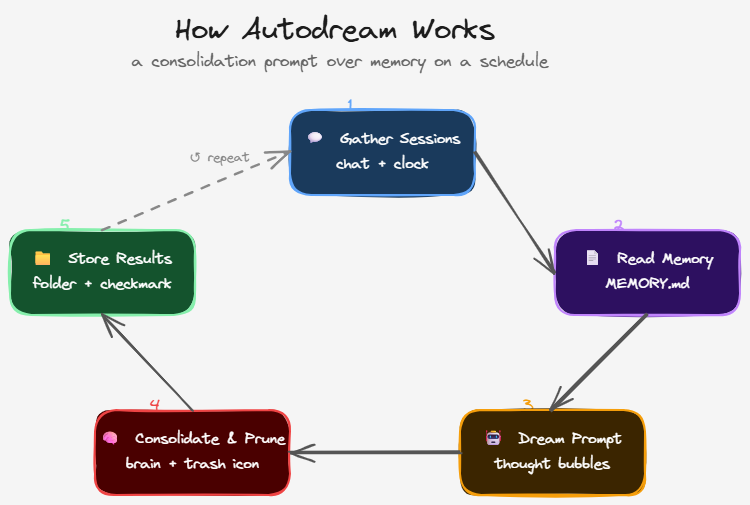
AutoDream is a consolidation prompt over memory, run on a schedule. Here is the five-step process it follows each time it runs:
The entire process is transparent: when a dream is running, you will see 'dreaming' in your status line. You can press Enter to view the task list and watch it work in real time.
Besides invoking it manually with /dream, AutoDream is designed to trigger automatically. Based on community research, this is not yet formally documented by Anthropic. There appear to be two trigger mechanisms:
These triggers can work independently or together. You can also invoke it manually at any time. While AutoDream is running or idle, you will see one of these status indicators:
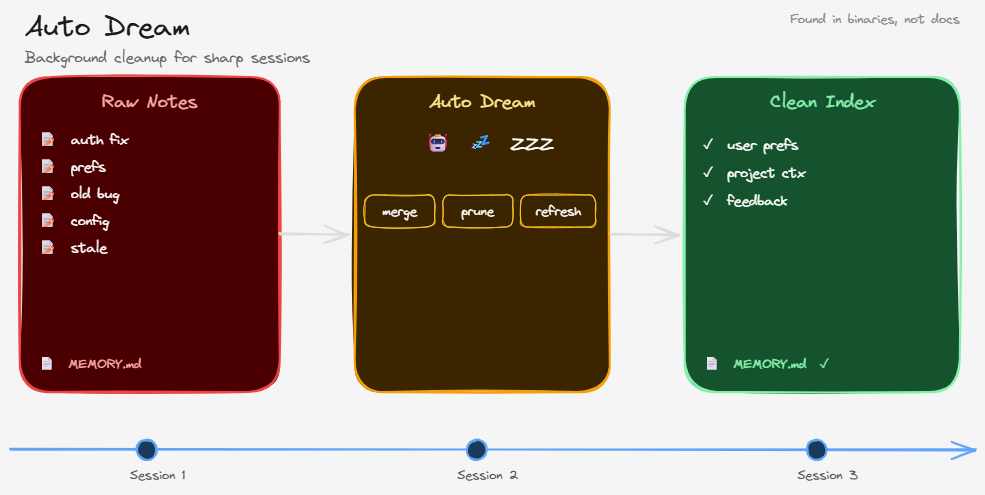
It helps to think of Claude Code's memory system as three distinct layers, each building on the one above it:
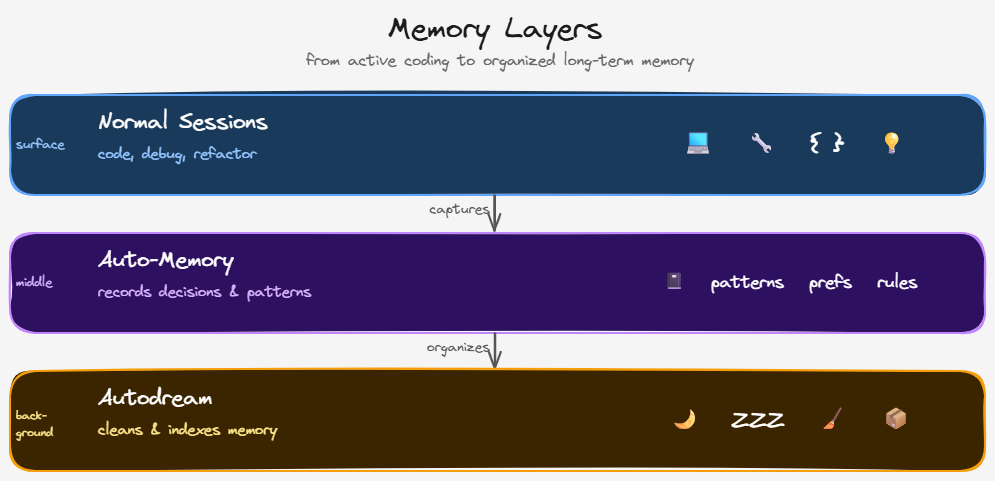
Together, these three layers create a self-improving memory system. Normal sessions capture new information. Auto-memory persists it. AutoDream organises and refines it. Each layer feeds the next, making Claude Code feel less like a stateless tool and more like a collaborator that genuinely remembers your project.
Thanks for reading.
—Will
Related Reading
AI & Tech
When the mechanical act of writing code is no longer the bottleneck, the decades-old ratios that defined software development stop making sense. We are moving from a world of code scarcity to one of architectural abundance.
Read →AI & Tech
Job hunting is exhausting. Checking the same boards every day, filtering through irrelevant roles, losing track of what you've already seen. I built a tool with Claude that automated the whole thing. It worked.
Read →